Map
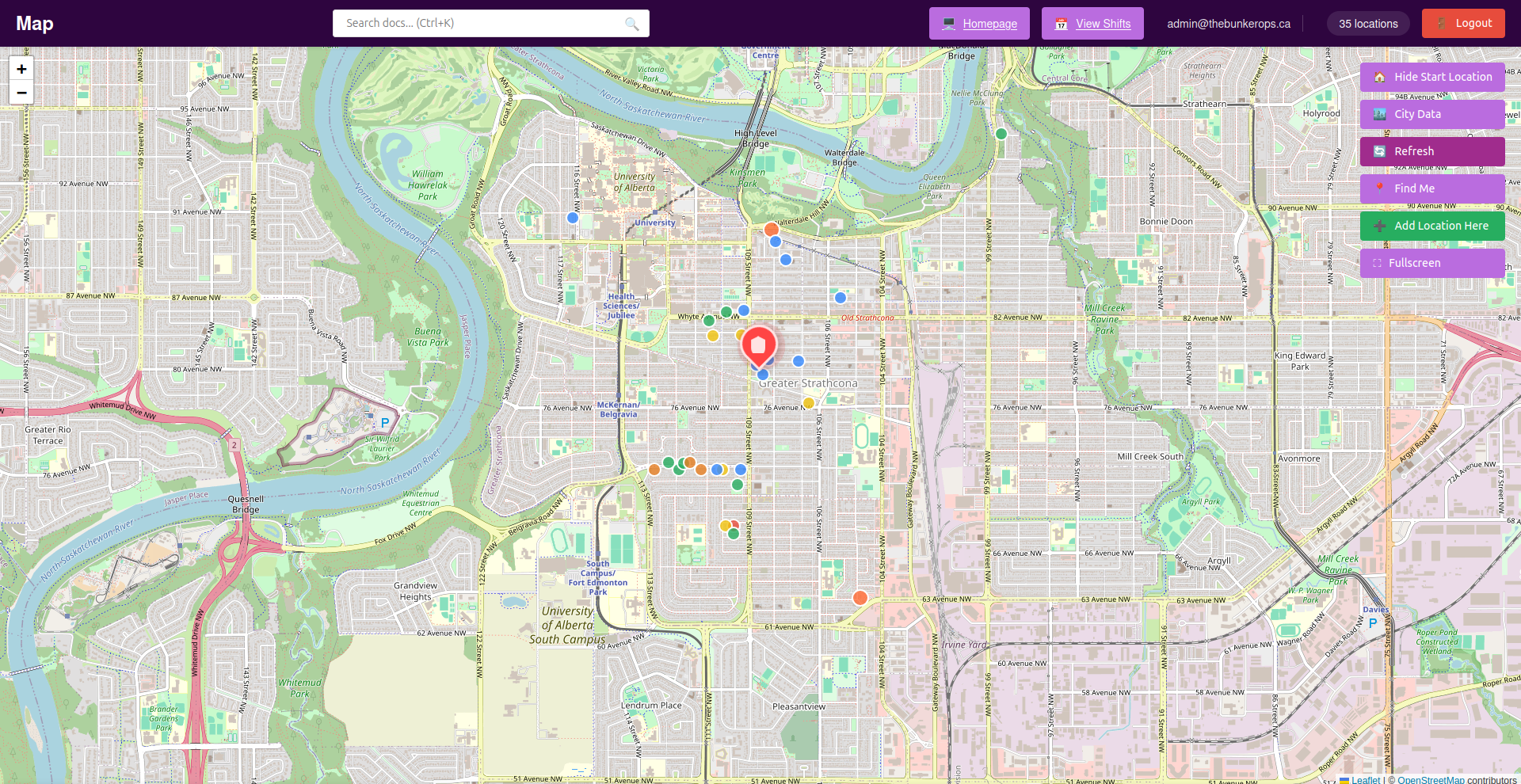
Interactive map service for geospatial data visualization, powered by NocoDB and Leaflet.js.
Overview
The Map service provides an interactive web-based map for displaying, searching, and analyzing geospatial data from a NocoDB backend. It supports real-time geolocation, adding new locations, and is optimized for both desktop and mobile use.
Features
- Interactive map visualization with OpenStreetMap
- Real-time geolocation support
- Add new locations directly from the map
- Auto-refresh every 30 seconds
- Responsive design for mobile devices
- Secure API proxy to protect credentials
- Docker containerization for easy deployment
Access
- Default Port:
${MAP_PORT:-3000}(default: 3000) - URL:
http://localhost:${MAP_PORT:-3000} - Default Workspace:
/app/public/
Configuration
All configuration is done via environment variables:
| Variable | Description | Default |
|---|---|---|
NOCODB_API_URL |
NocoDB API base URL | Required |
NOCODB_API_TOKEN |
API authentication token | Required |
NOCODB_VIEW_URL |
Full NocoDB view URL | Required |
PORT |
Server port | 3000 |
DEFAULT_LAT |
Default map latitude | 53.5461 |
DEFAULT_LNG |
Default map longitude | -113.4938 |
DEFAULT_ZOOM |
Default map zoom level | 11 |
Volumes
./map/app/public: Map public assets
Usage
- Access the map at
http://localhost:${MAP_PORT:-3000} - Search for locations or addresses
- Add or view custom markers
- Analyze geospatial data as needed
NocoDB Table Setup
Required Columns
geodata(Text): Format "latitude;longitude"latitude(Decimal): Precision 10, Scale 8longitude(Decimal): Precision 11, Scale 8
Form Fields (as seen in the interface)
First Name(Text): Person's first nameLast Name(Text): Person's last nameEmail(Email): Contact email addressUnit Number(Text): Apartment/unit numberSupport Level(Single Select):- 1 - Strong Support (Green)
- 2 - Moderate Support (Yellow)
- 3 - Low Support (Orange)
- 4 - No Support (Red)
Address(Text): Full street addressSign(Checkbox): Has campaign sign (true/false)Sign Size(Single Select): Small, Medium, LargeGeo-Location(Text): Formatted as "latitude;longitude"
API Endpoints
GET /api/locations- Fetch all locationsPOST /api/locations- Create new locationGET /api/locations/:id- Get single locationPUT /api/locations/:id- Update locationDELETE /api/locations/:id- Delete locationGET /health- Health check
Security Considerations
- API tokens are kept server-side only
- CORS is configured for security
- Rate limiting prevents abuse
- Input validation on all endpoints
- Helmet.js for security headers
Troubleshooting
- Ensure NocoDB table has required columns and valid coordinates
- Check API token permissions and network connectivity